Hubble Mobile
Walk lists, maps, and scripts in every canvasser's pocket, on iPhone, iPad, and Android. It works offline and syncs when you're back in range.
Free for every Hubble campaign


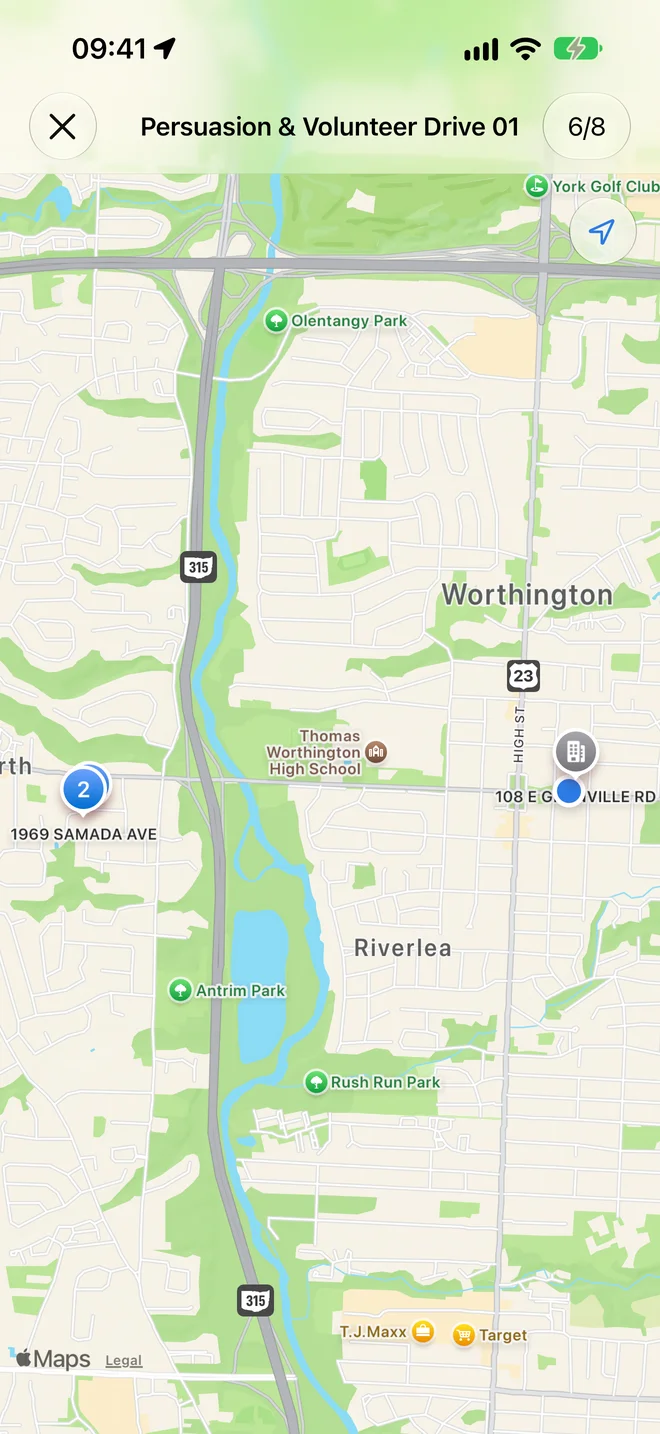
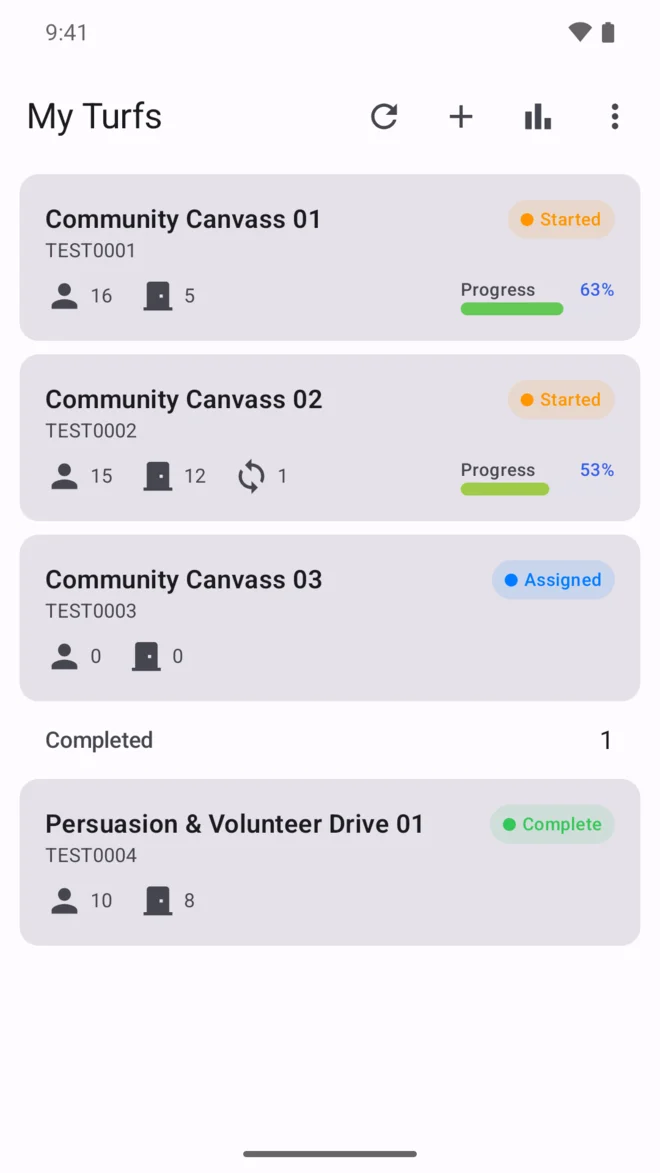
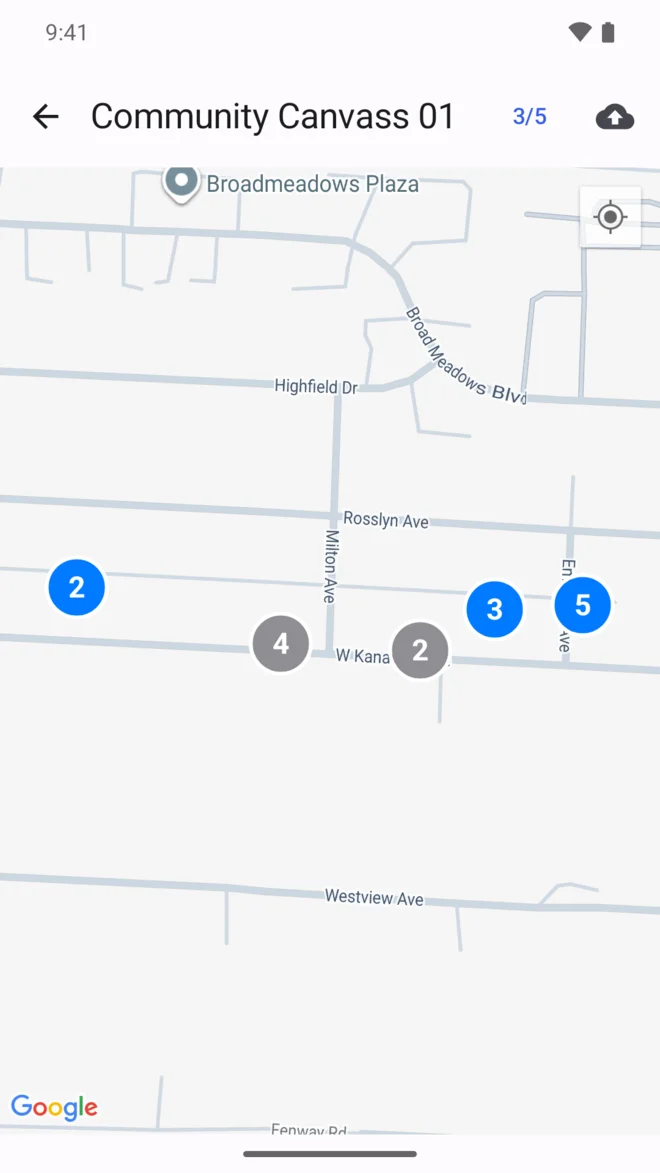
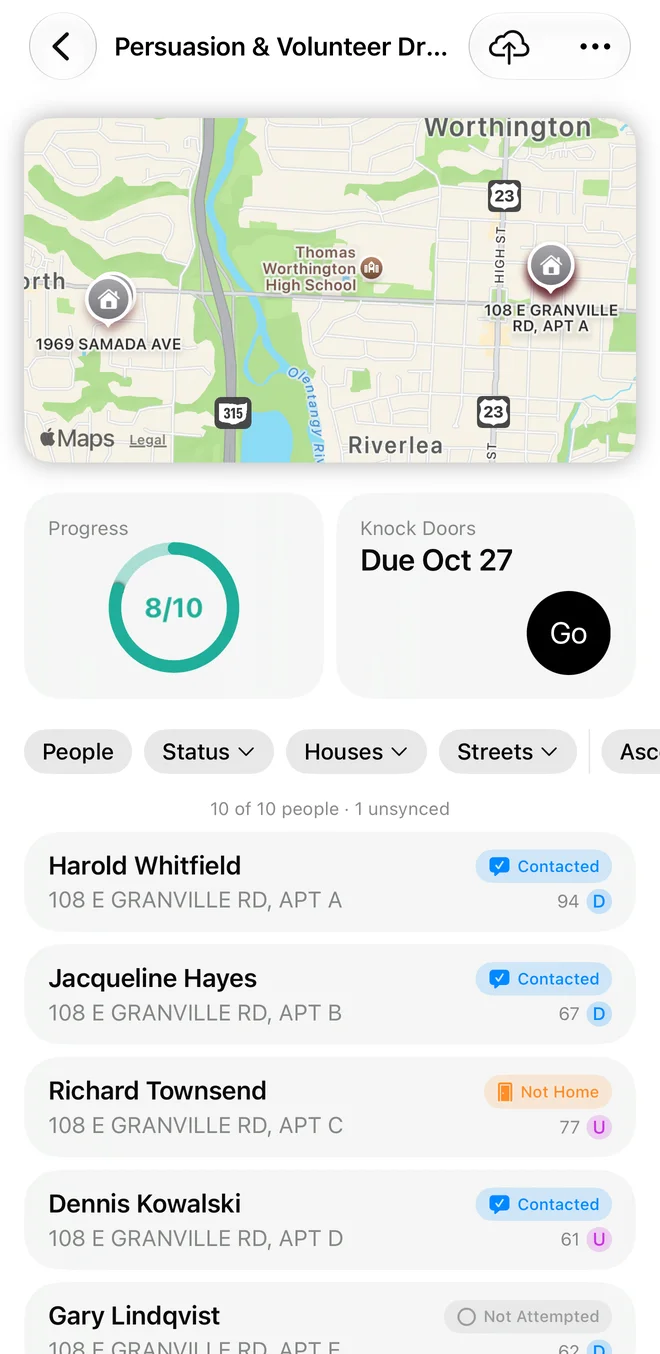
See the whole turf.
A map that tracks progress. Pins change color as doors are knocked, and every unit in an apartment building sits behind one pin.
Directions in one tap. Open any address in your phone's maps app, and report a pin that's in the wrong place.
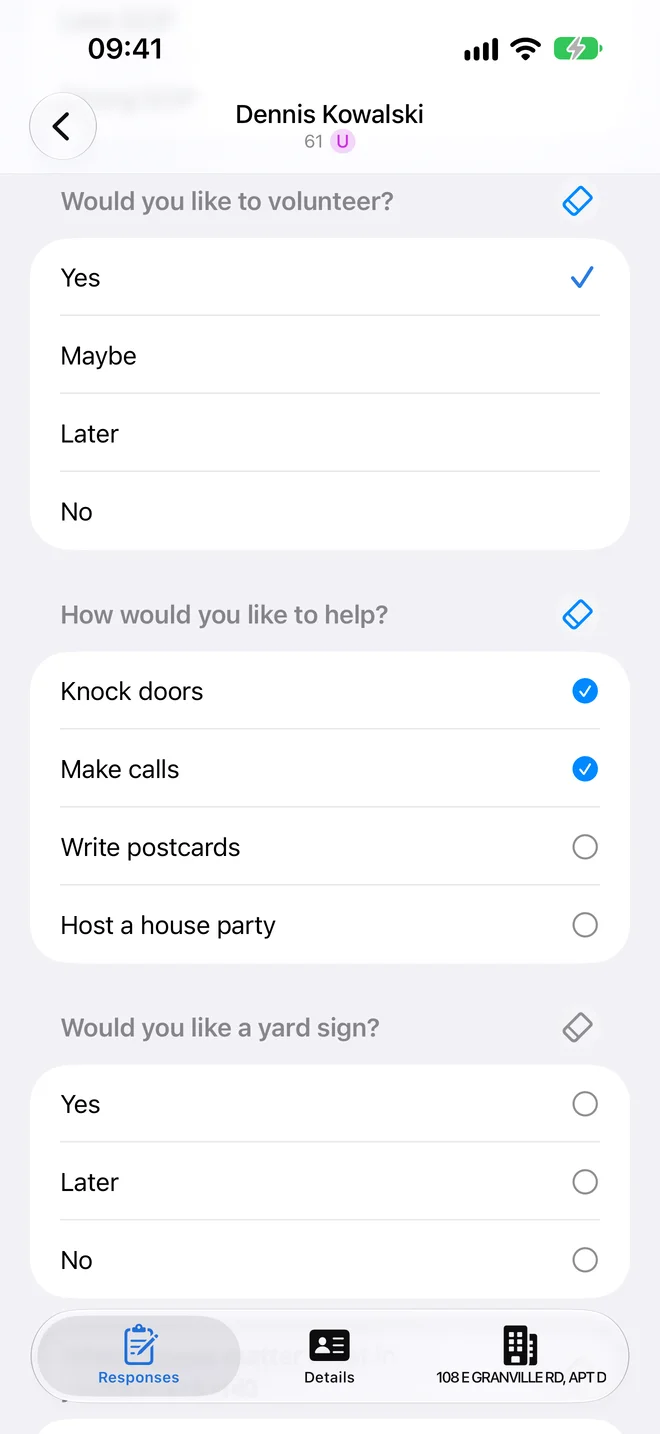
Record a door in seconds.
Follow-ups that know when to appear. Ask “Would you like a yard sign?” only after someone says they support the candidate.
Whole households at once. Copy answers to everyone at the door with one tap, or record a lit drop once for the whole house.
No signal? No problem.
Offline first. Turfs, walk lists, and scripts live on the phone, and every door you knock waits safely until you're back in range.
Sync that never loses a door. Hubble uploads everything you've recorded before it downloads, and signing out sends your doors first.
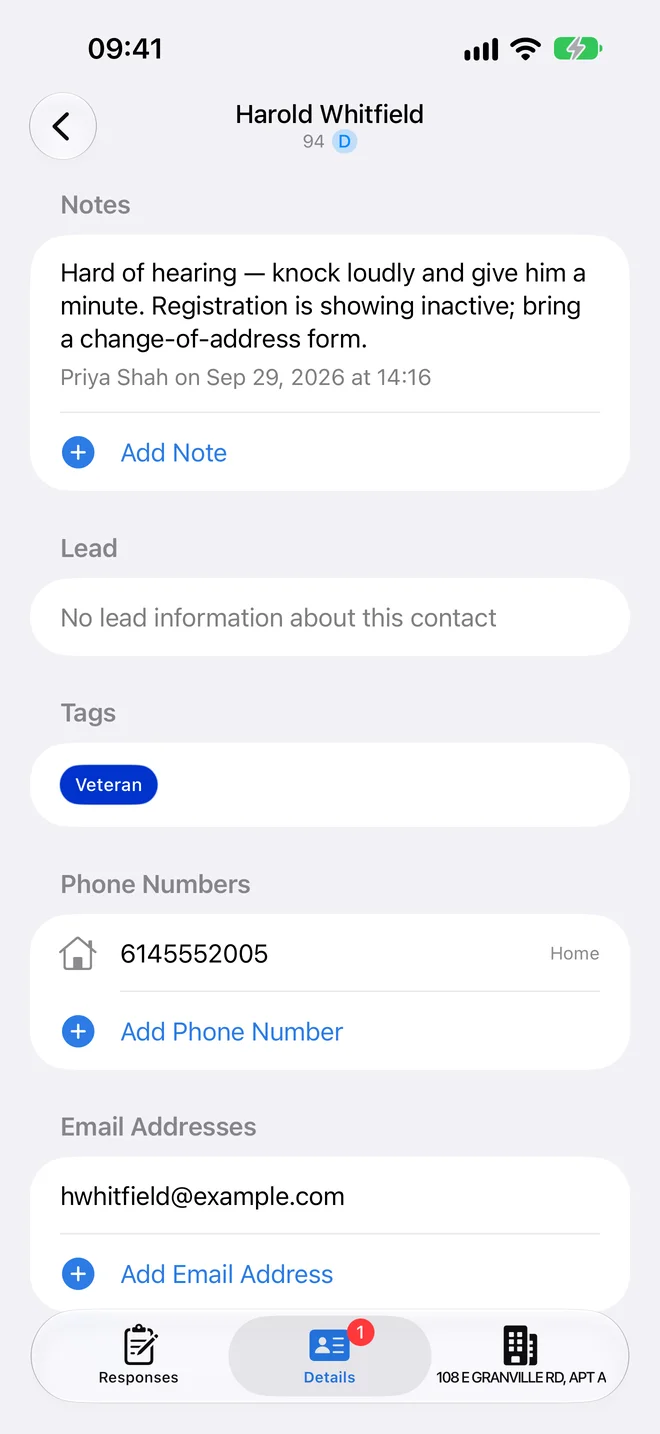
Collect what you learn.
Phone numbers, emails, and notes. When your campaign turns it on, canvassers add contact details at the door and they land on the contact's record in Hubble.
Context before you knock. See tags, leads, and notes from your team right on the visit.
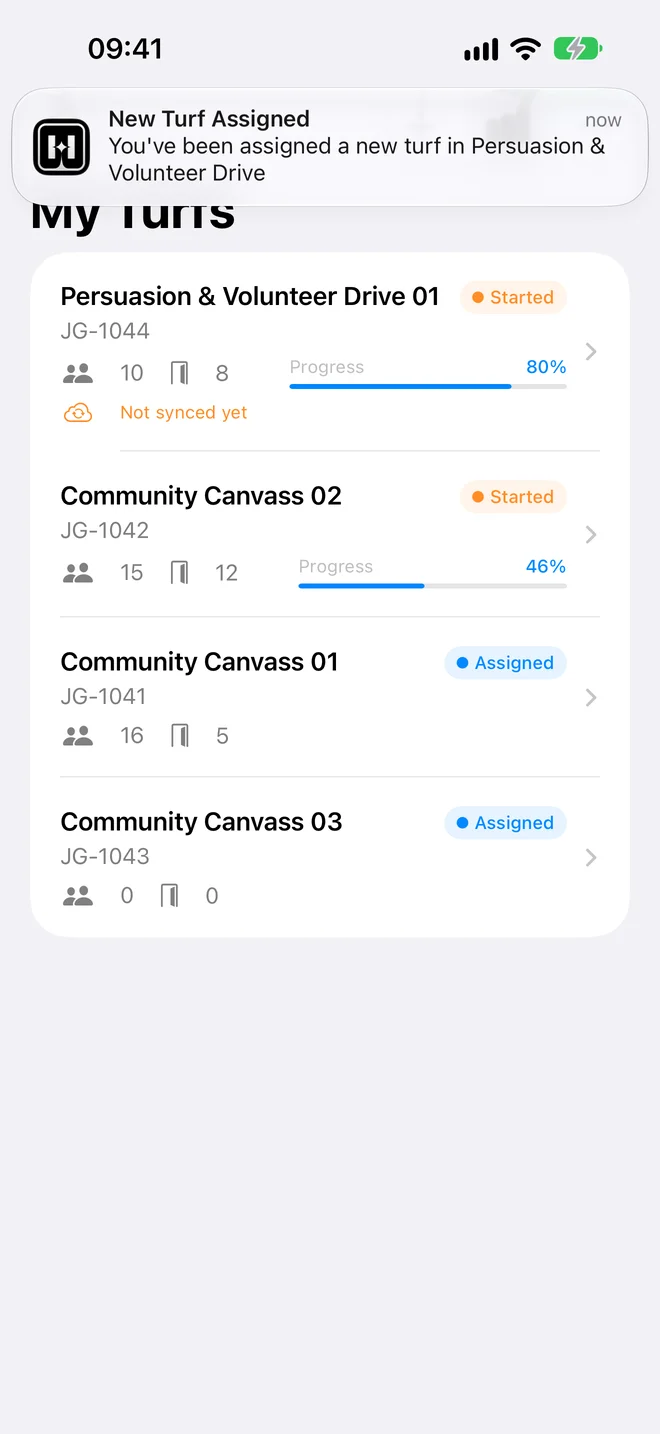
Know when there's work.
Turf notifications. Hear when a turf is assigned to you, due soon, past due, or updated by your campaign. Tap to open it.
Your switches, per campaign. Choose which notices you get for each campaign you volunteer with.
Feature list
Everything in Hubble Mobile.
Offline First
Turfs, walk lists, and response forms work without service and sync when you're back online.
Multiple Turfs
Work several turfs, even for different campaigns, without losing your place.
Turf Assignment
Assign yourself a turf by typing its ID or scanning a QR code.
Eight Question Types
Capture exactly what your script asks, whatever the question type.
Follow-up Questions
Questions that appear only when an earlier answer calls for them.
Household Copy
Copy responses to everyone in a household with one tap.
Lit Drops
Record one outcome for the whole door on lit-drop turfs.
Canvassing Map
Every door on a map, with pins that change color as you make progress.
Apartments & Buildings
Each unit is its own door, and a building shows as one pin with a unit list behind it.
Location Reports
Report a pin that's in the wrong place, from the door or using your phone's location.
Search & Filters
Find anyone by name or address, and filter the walk list by status, street, or odd and even numbers.
Contact Details
Add phone numbers, emails, and notes at the door when your campaign turns it on.
Notifications
Hear when a turf is assigned, due soon, past due, or updated.
My Stats
Your streak, best streak, all-time totals, and an outcome breakdown.
Milestones
Celebrate your first door and every quarter of the turf, then sync and close it out.
Widgets
Canvass stats on your home screen, plus Live Activities on iPhone that show your next door.
Tablets
On iPad and Android tablets, your turfs and the turf you're working sit side by side.
Dark Mode
A light or dark look, or follow your phone's setting.
Get the app
Free for every Hubble campaign.
Works on iPhone and iPad with iOS 17 or newer, and on Android 10 or newer. Sign in with your Hubble account, and your campaign's turfs come from the Campaign Hub.
Register today. Campaign today.
Use Hubble and avoid the stress and costs of multiple apps.